
Sermon Mode Workflow
This is the heart of Paraclette — a complete run-through of a live service.
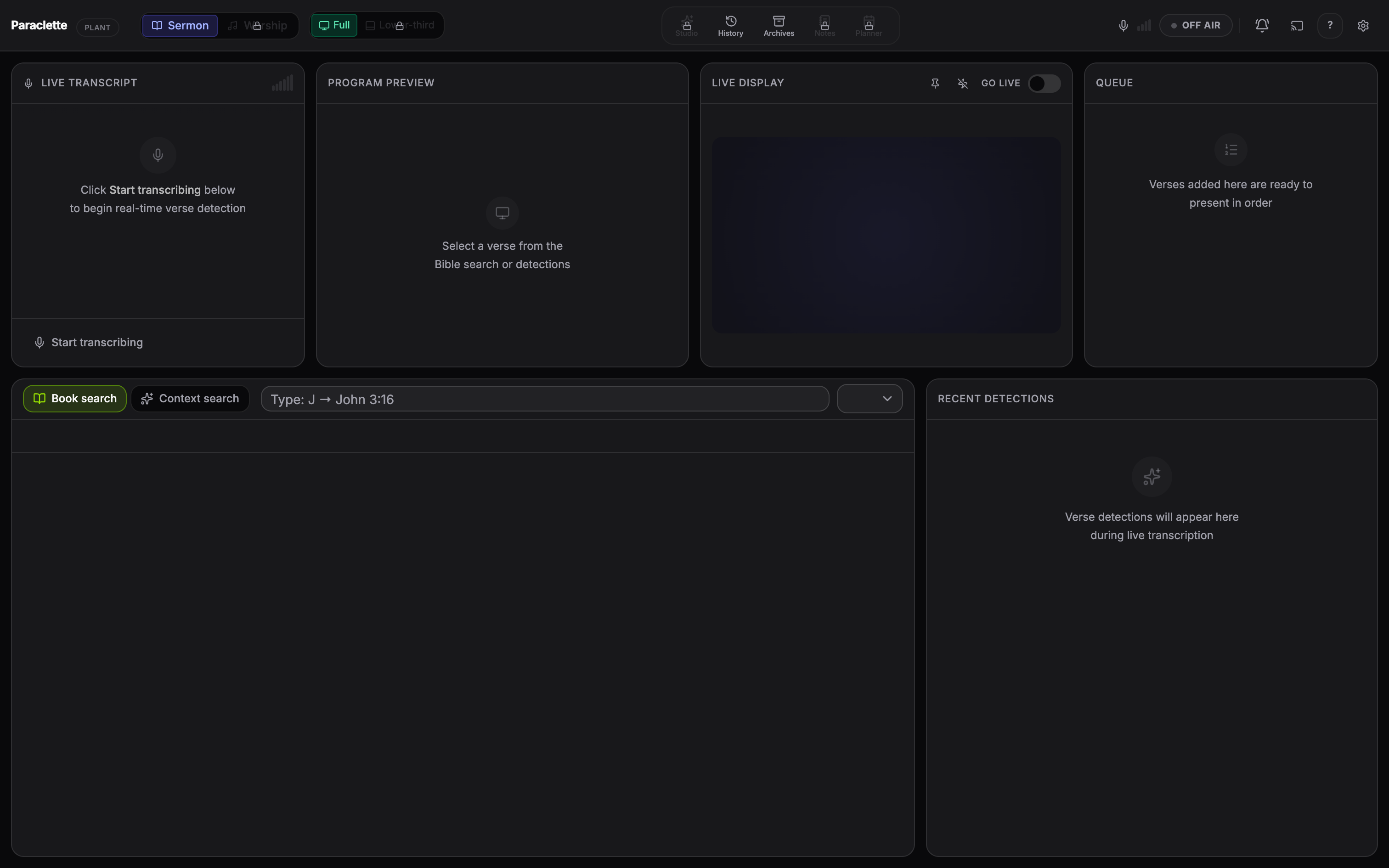
- Start transcriptionPress Space (or the record control) to begin listening. The REC indicator turns red and the transcript starts filling in as the preacher speaks.
- Let detection workAs verses are referenced — said directly or paraphrased — they appear in the Detections panel and the Queue, each tagged with a confidence colour.
- Preview before you showClick a detected verse to load it into the Preview panel. Read it, confirm it’s the right one, and check the formatting.
- Send it livePush the verse to the Live Output — it instantly appears on your broadcast screen / NDI feed. High-confidence detections can be auto-queued so the right verse is always one click away.
- Navigate the passageUse ← → to move through chapters and verse slides, and ↑ ↓ to move verse-by-verse as the preacher reads on.
- Look anything up manuallyIf you want a verse the AI didn’t flag, type the reference in the Search panel’s quick-nav. Autocomplete advances with Tab; confirm with Enter.
- Blackout when neededNeed the screen clear during prayer or an appeal? One control blacks out the live output without losing your place.
- Stop when the message endsPress Space again to stop transcription. Your session — transcript, detections, and notes — is saved automatically.
Context Memory (Multi-Campus & up). Paraclette keeps a rolling memory of the last several minutes of the sermon and uses its themes to bias detection toward the topic at hand — so a paraphrase of a verse on “grace” is matched more accurately when grace is the subject.
How Verse Detection Works
Paraclette catches scripture two ways at once:
- Direct references — explicit citations like “John chapter 3 verse 16”, including spoken numbers and even accented-English pronunciations (e.g. “John tree sixteen” → John 3:16).
- Paraphrase & semantic detection — when the preacher recites or alludes to a passage without naming the reference, Paraclette matches the meaning of what was said against the whole Bible.
Reading the confidence colours
Every detection is scored from 0–100% and colour-coded so you know how sure Paraclette is before you put it on the big screen:
| Colour | Confidence | What it means |
|---|---|---|
| Green | Above 80% | High confidence — very likely the correct verse. Safe to show quickly. |
| Amber | 60–80% | Medium confidence — glance at the Preview to confirm before showing. |
| Red | Below 60% | Low confidence — double-check; the AI is offering a possibility, not a certainty. |
You are always in control. Detection fills the queue and suggests verses — but nothing reaches your congregation’s screen until you send it live (unless you’ve enabled auto-queue for high-confidence hits).
Paraphrase detection
Semantic (paraphrase) detection can be toggled on or off. It’s powered by an on-device AI model; if that model isn’t installed, Paraclette automatically falls back to fast keyword-based search and direct-reference detection — so verse detection always works.